
Sagicor Pay
Send money with a phone number.
Sagicor Pay is a new, simple way to send funds between Sagicor Bank (Barbados) clients using just a phone number or an email address.
Just a phone number
No account numbers to copy across, and no typos to worry about.
Or an email address
Whichever the recipient linked to their Sagicor Bank account.
No fees
There are no fees to send or receive funds via Sagicor Pay.
No limits
No maximum transfer value, and no cap on daily transactions.
How it works
Send funds in four easy steps.
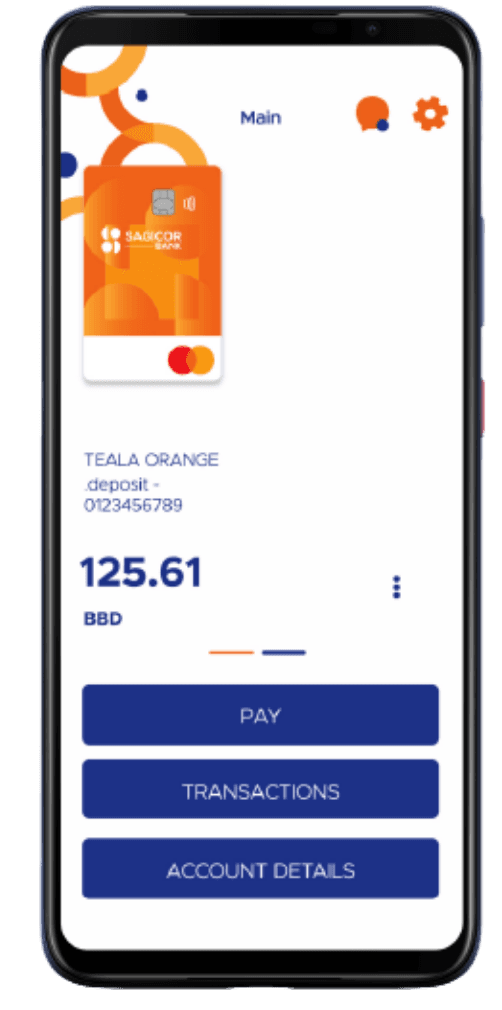
Open the app and tap Pay
Launch the Sagicor Bank Mobile App on your device and tap 'Pay'.
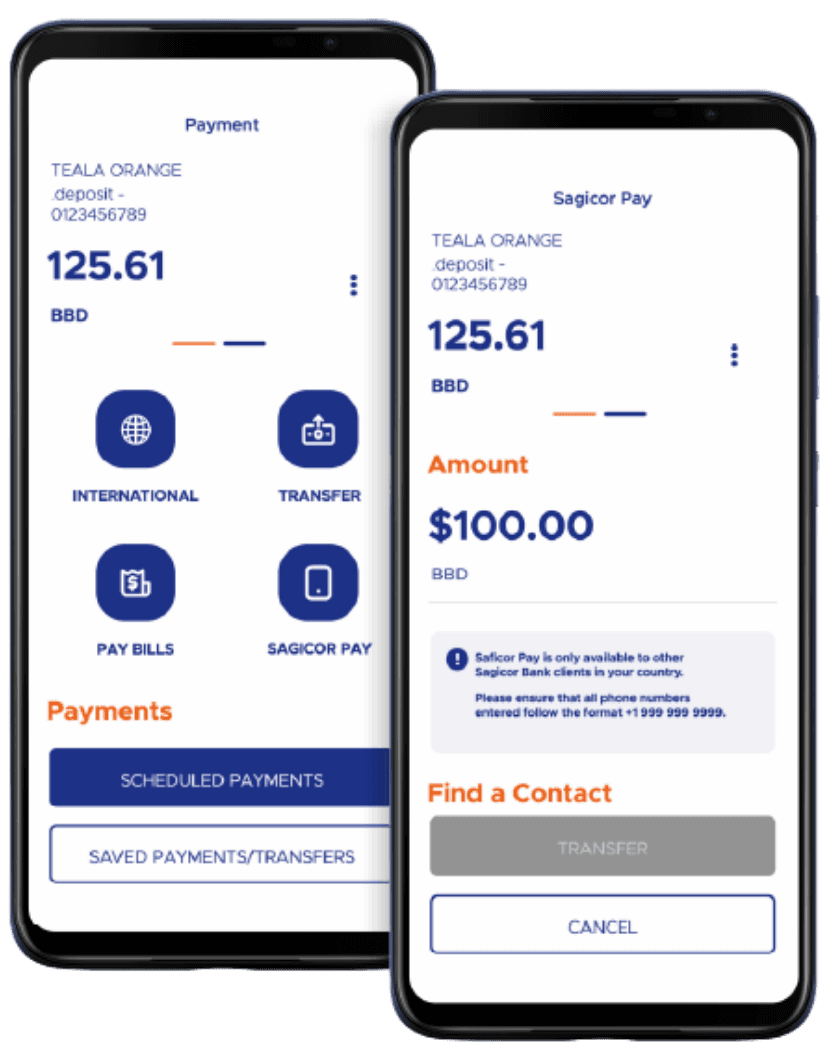
Choose Sagicor Pay, enter an amount
Select 'Sagicor Pay' and enter the amount you wish to transfer.
Pick a contact
Open the 'Find a Contact' menu, then tap 'Select from Contacts' or 'Enter Contact Manually'.
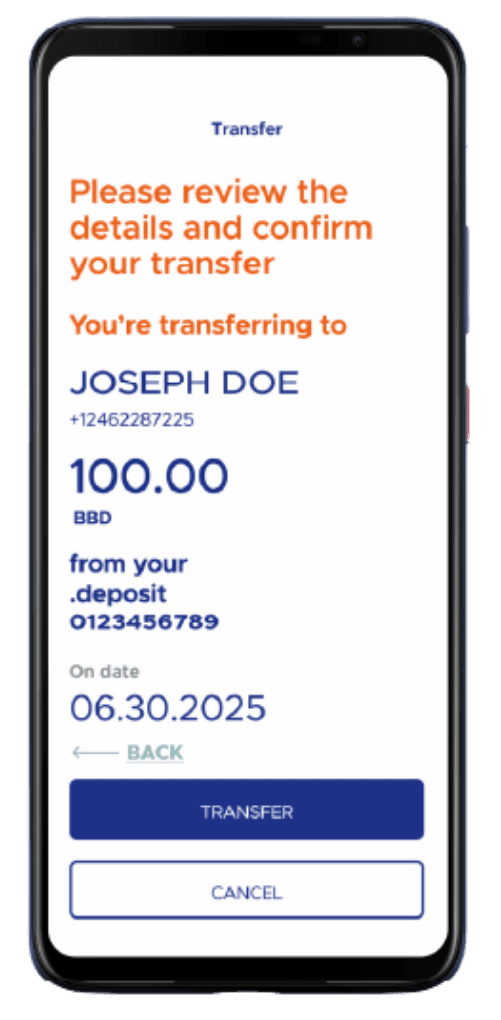
Confirm and send
Check the mobile number or email address is right, then tap 'Transfer' to complete.
FAQs
Frequently asked questions
Need a hand?
Call the Client Experience Centre at (246) 228-7225 or email support@sagicor.bank.
Yes — you may select the preferred account you wish to have as your default account to receive funds sent to you via Sagicor Pay. Here is how to make the change:
- Log on to the Sagicor Bank Mobile App
- Select the gear icon in the top right
- Tap Sagicor Pay
- Select the account you wish to use as your default account
- Tap confirm
If you do not wish to send or receive funds via Sagicor Pay, you may select “Remove Default Account”.
Here is how to view the status of funds sent via Sagicor Pay:
- Open the Sagicor Bank Mobile App
- Select “Pay”
- Scroll down until “Payments” is visible
- Tap “In Progress”, “Completed” or “Failed” to view the status of your payments
Sagicor Pay
Download the app to get started today.
Sagicor Pay is built into the Sagicor Bank Mobile App. Open an account, set your default account, and start sending.
Or download the app